Features
Everything in MedMission Mode
Grouped by who uses it: the stations, the Host, the team and the Patient.
At the stations
Every station opens a Patient by typing the wristband number, and shows who is waiting there and for how long.
Registration
- Wristband number typed, with the dash added for you, or made automatically if the Host chooses
- A warning when the number is already in use
- Name, age or date of birth, sex and phone, each checked as it is entered
- Consent on the device or on a paper form
Triage
- Chief complaint picked by tapping a body outline, front or back
- Drug allergies asked before anything is saved
- The questions that send a Patient to Dental, Optometry and other stations they may need
Vitals
- Blood pressure, heart rate, oxygen saturation, blood glucose, weight and temperature
- Normal range and critical limit shown beside each box
- °C or °F, kg or lb
- Repeat readings when a provider orders them, with earlier readings kept
General Provider
- The Patient's complaint, vitals and history on one screen before the exam
- Orders for Lab, EKG and repeat vitals
- Results come back to the same provider to interpret
- Prescribing from the organization's own pharmacy list
Lab and EKG
- Only Patients with an order appear
- One result box for each test ordered, with its unit
- A critical result is marked and must be confirmed
- The Patient is sent back to the provider who ordered it
Optometry, Dental, Physical Therapy, Mental Health Education
- A form for each station
- Dental and Optometry prescribe from the medicines the Host picked for them
- Stations a Patient does not need are skipped
Pharmacy
- The medicines each provider prescribed, with quantity and how to take them
- One tick for each medicine as it goes in the bag
- A numbered dispensing register for the MedMission
Your own stations
- Name a station and choose who may record there
- Add your own questions: text, number or date
- Choose whether every Patient visits it, or only those who need it
For the Host
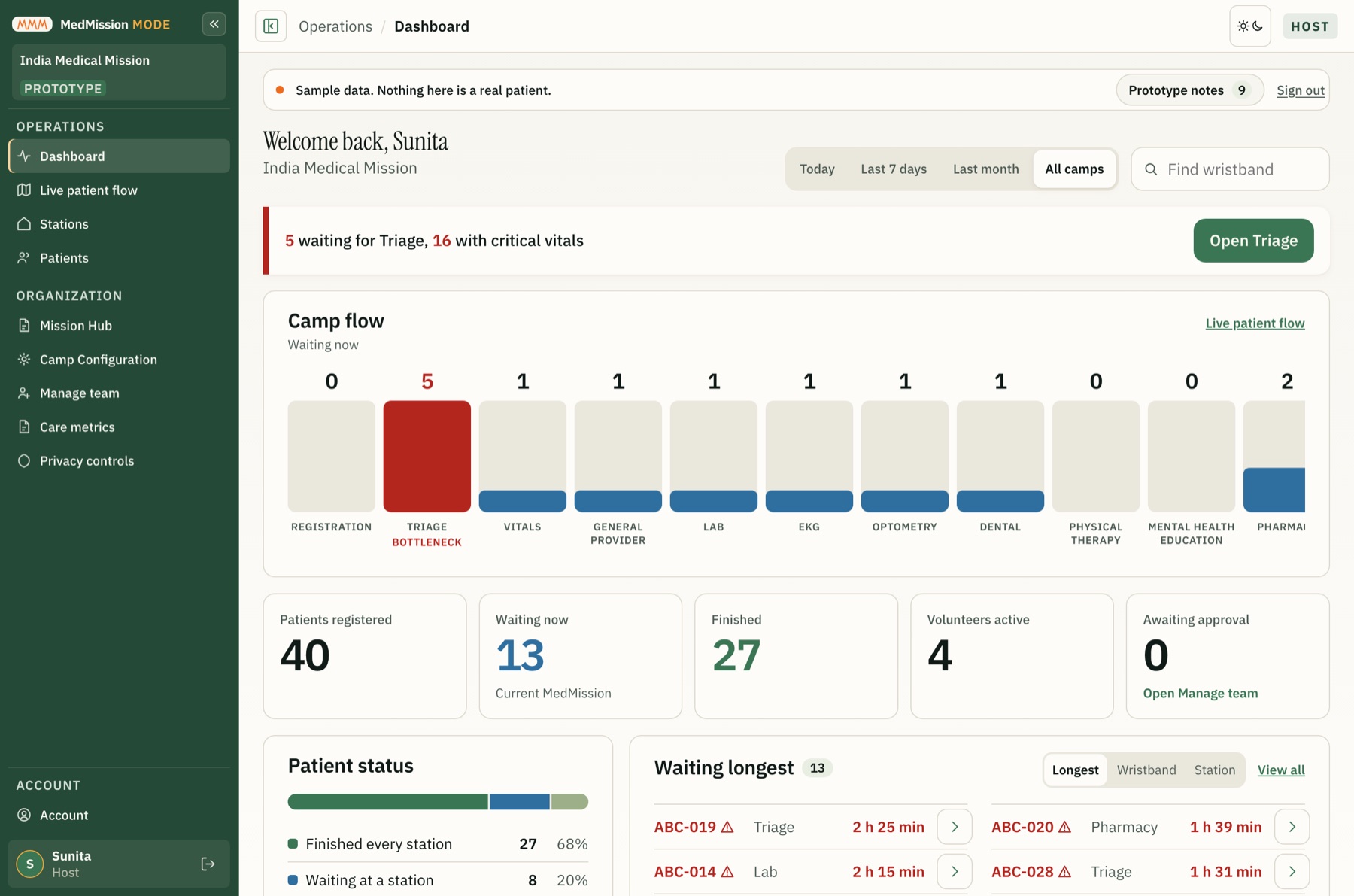
Dashboard and Live patient flow
- Patients waiting at each station, with the bottleneck marked
- Who has waited longest, and where
- Patients with critical vitals or a critical lab result, and whether a provider has seen them
- Counts for today, the last 7 days, the last month or every MedMission
Care metrics
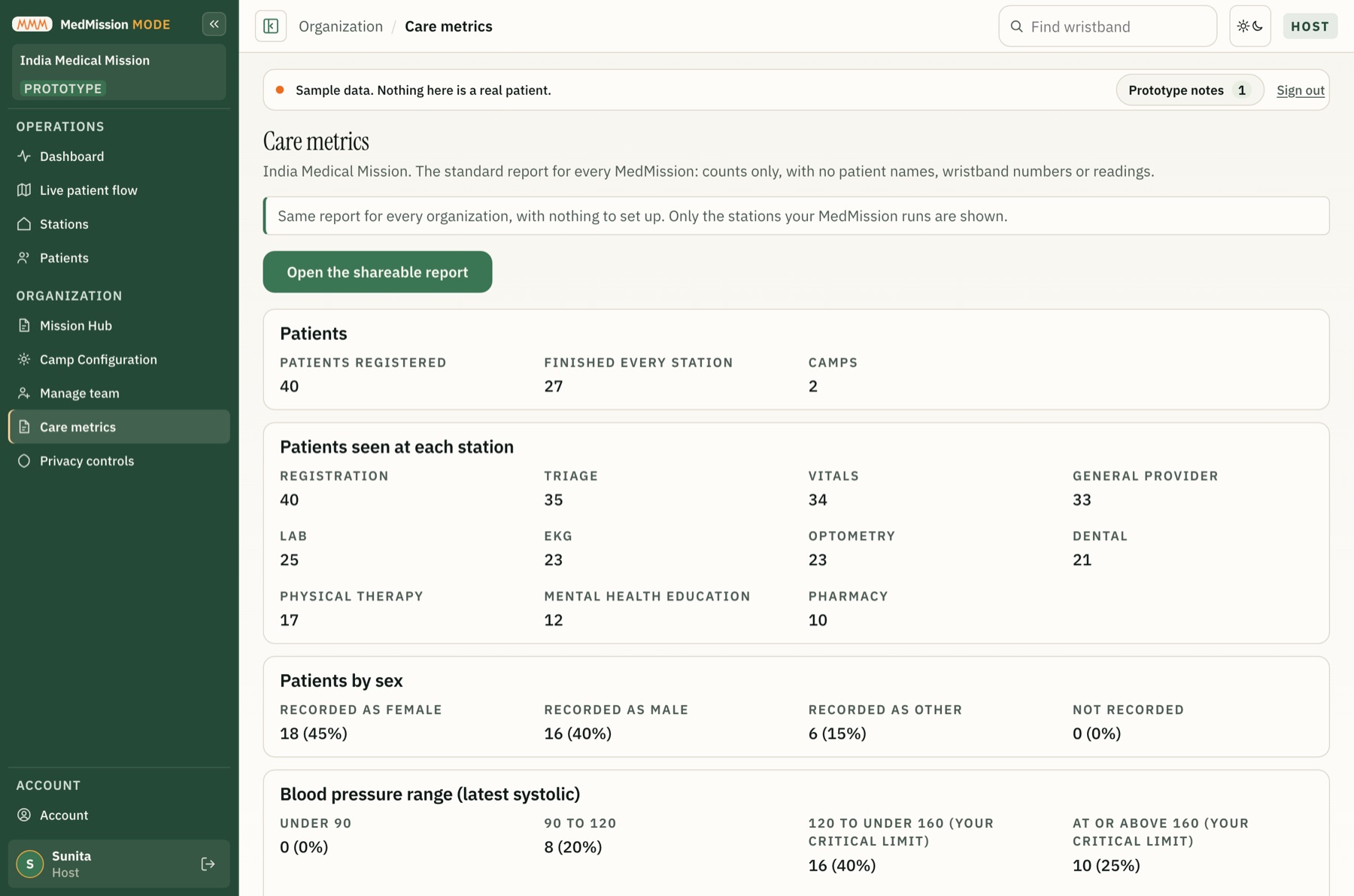
- Patients seen at each station
- Blood pressure and blood glucose across the MedMission, in bands
- Average hemoglobin and how many results were critical
- Counts only. No Patient is named
Camp Configuration
- Stations and their order
- Patient flow: required, opt-in, opt-out or ordered
- Critical limits for vitals and lab tests
- Lab tests and their units
- The pharmacy list
- The after-visit summary
Setup you can check
- A list of what is still to do before the first Patient
- Sample Patients to try the app with, removed in one tap
- The setup downloaded as a spreadsheet
More than one MedMission
- Each MedMission keeps its own Patients and counts
- Earlier MedMissions stay available to compare
For the team
One sign-up link
The Host shares one link. Each volunteer picks Non-Clinical Support, Supervised Clinical Support or Licensed Clinical Professional, and waits for the Host to confirm them.
Supervision
A student, Nurse Practitioner or Physician Associate works under a named supervising physician from the organization's own team.
Approval before the record
Where the organization asks for it, an entry by a supervised clinician waits for the physician's approval before it joins the Patient's record.
Scribes
A scribe can enter the Assessment for a provider. The provider signs it off.
Training
A short walk through each station, opened once the Host confirms the volunteer.
Team list
Who is active and who is waiting, with the roster downloaded as a spreadsheet.
For the Patient
A wristband, not a clipboard
The Patient carries a number. The record is waiting at each station when they arrive.
After-visit summary
Printed or digital, as the organization chooses, with what was found and which medicines were given.
Their own visit, later
A Patient can sign up with their wristband number and name to read the summary of their own visit.
Privacy controls
- Each role sees only what it needs. Non-Clinical Support sees no clinical findings
- Each organization's Patients, team and settings are separate from every other's
- Consent is recorded at Registration, and every consent action is logged
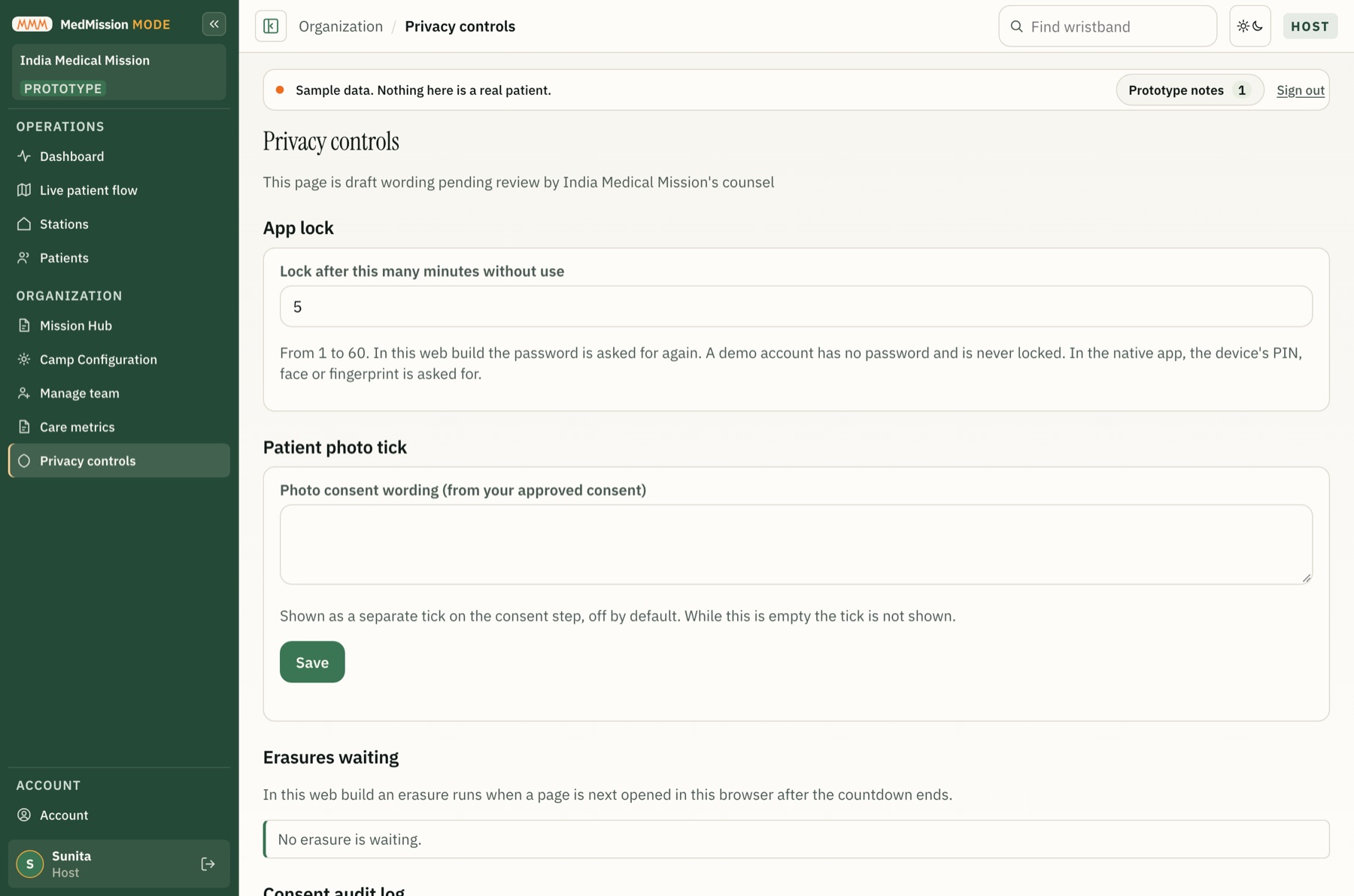
- The app locks after the idle time the Host sets
- The Host can ask for a Patient's records to be erased, with a waiting period before it happens
MedMission Mode is in review with our clinical team. Features may change before it reaches the App Store and Google Play.
Planning a MedMission?
Tell us where and when, and how many Patients you expect in a day.