An app for pop-up medical clinics
Run a MedMission from a phone or tablet.
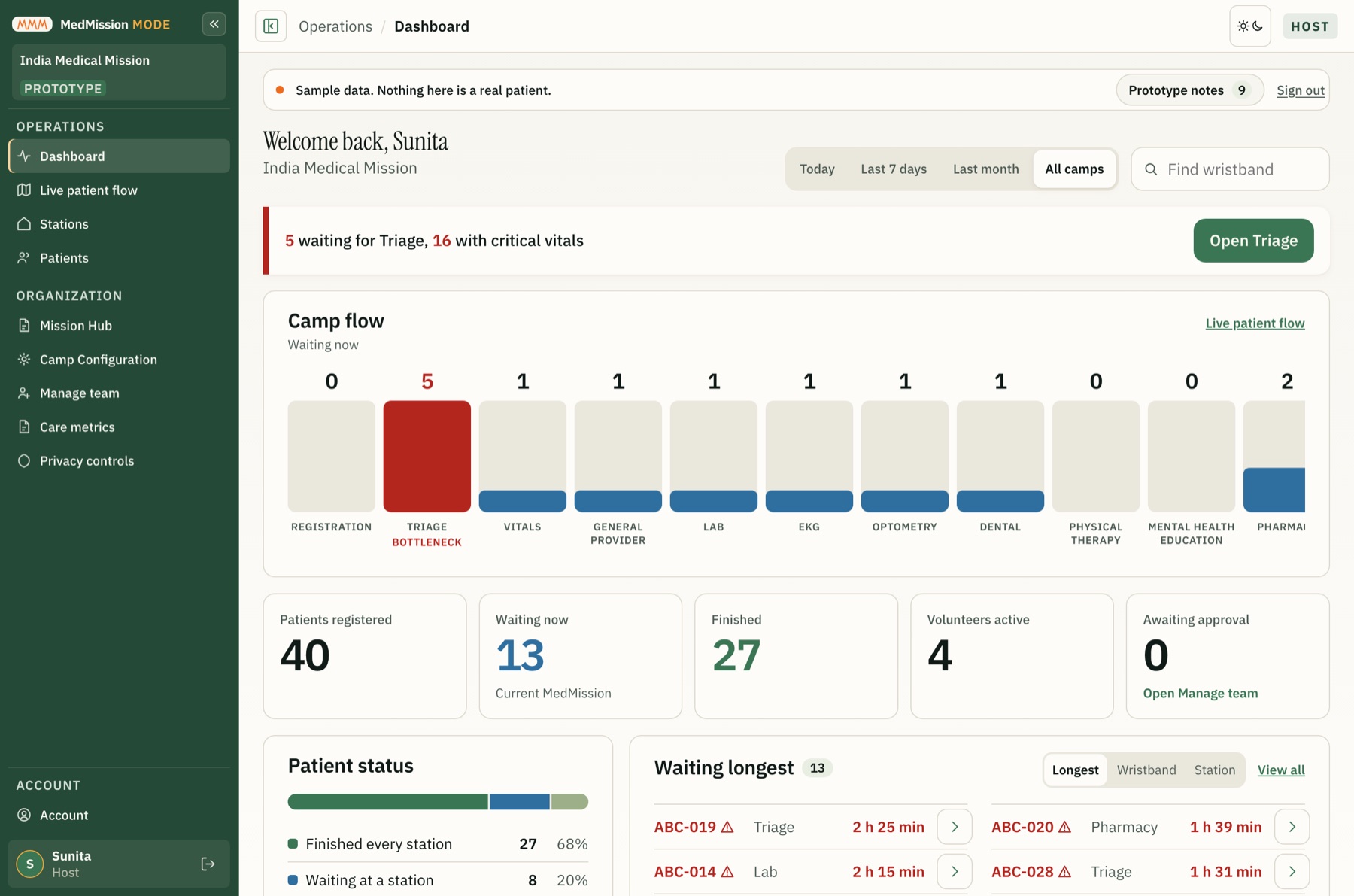
MedMission Mode takes each Patient from Registration to Pharmacy, one station at a time, and shows the Host where people are waiting.
In review with our clinical team. Not yet in the App Store or Google Play.
Built for a clinic that sets up in the morning and packs up at night
A school hall, a row of tables, volunteers who met yesterday, and a line at the door. Paper forms get lost between tables and nobody can see where the line is stuck. MedMission Mode gives every table the same record and gives the Host one screen for the whole day.
- 11stations ready to use, and you can add your own
- 1wristband number for each Patient, at every station
- 3roles: Host, Support and Patient
- 100 to 400people a day seen by India Medical Mission teams, who helped shape it
How a MedMission runs
- Set upThe Host signs up the organization, picks the stations, sets the critical limits and loads the medicine list.
- Bring the teamVolunteers join through one sign-up link. The Host confirms each one before they can record anything.
- See PatientsEach Patient gets a wristband number at Registration and moves from station to station. Each station adds its part to the same record.
- Close the dayThe Patient leaves with an after-visit summary. The Host has the day's care metrics.
- Registration
- Triage
- Vitals
- General Provider
- Lab
- EKG
- Optometry
- Dental
- Physical Therapy
- Mental Health Education
- Pharmacy
Each organization chooses the stations it runs, which ones every Patient visits, and which are only for Patients who need them.
What it does
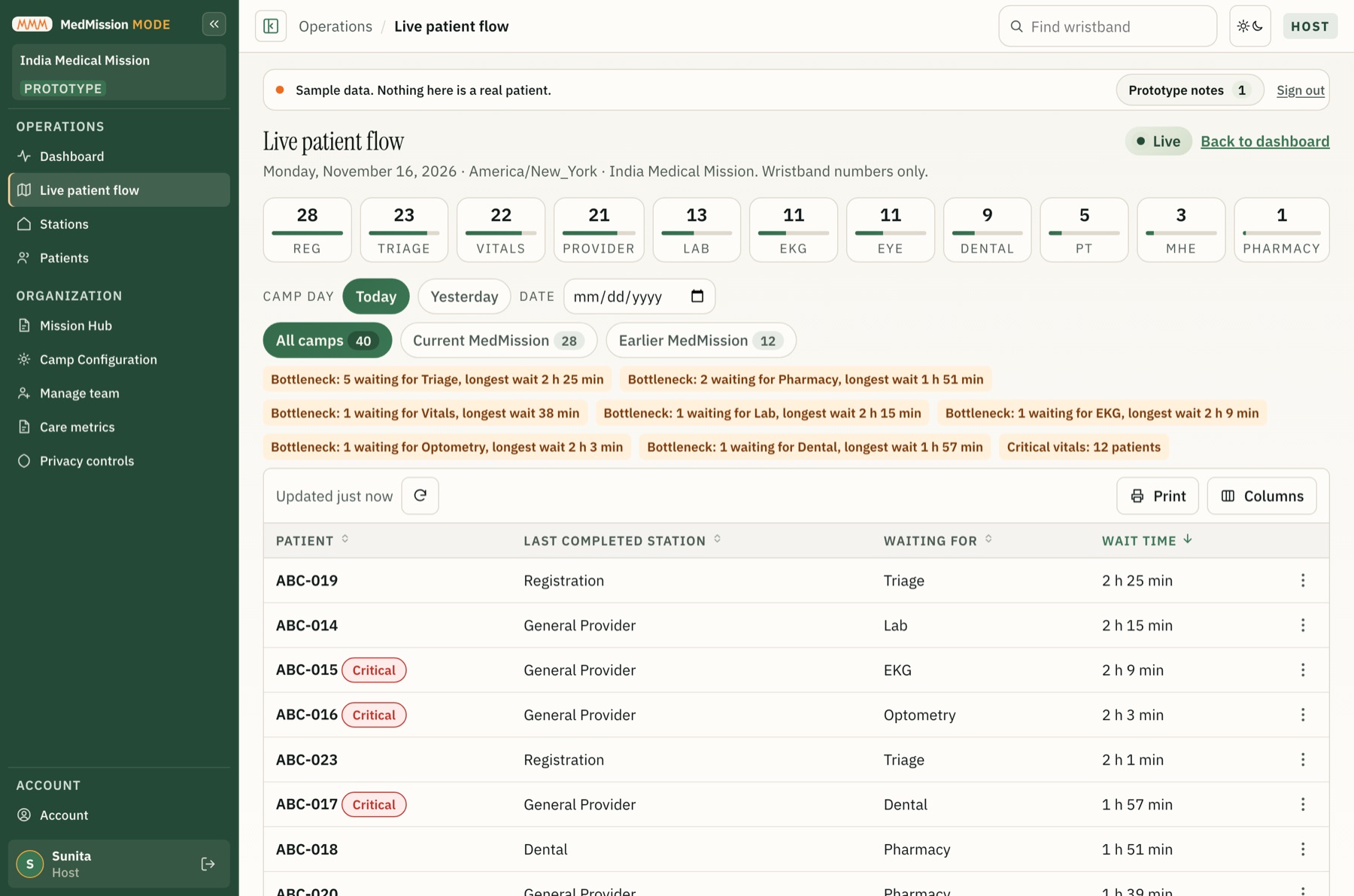
See where the line is stuck
Live patient flow lists every Patient by wristband number, the last station they finished, where they wait now and for how long.
- The station with the longest queue is marked as the bottleneck
- Patients with critical vitals are marked in the list
- Wristband numbers only, so the screen can face the room
Vitals that flag themselves
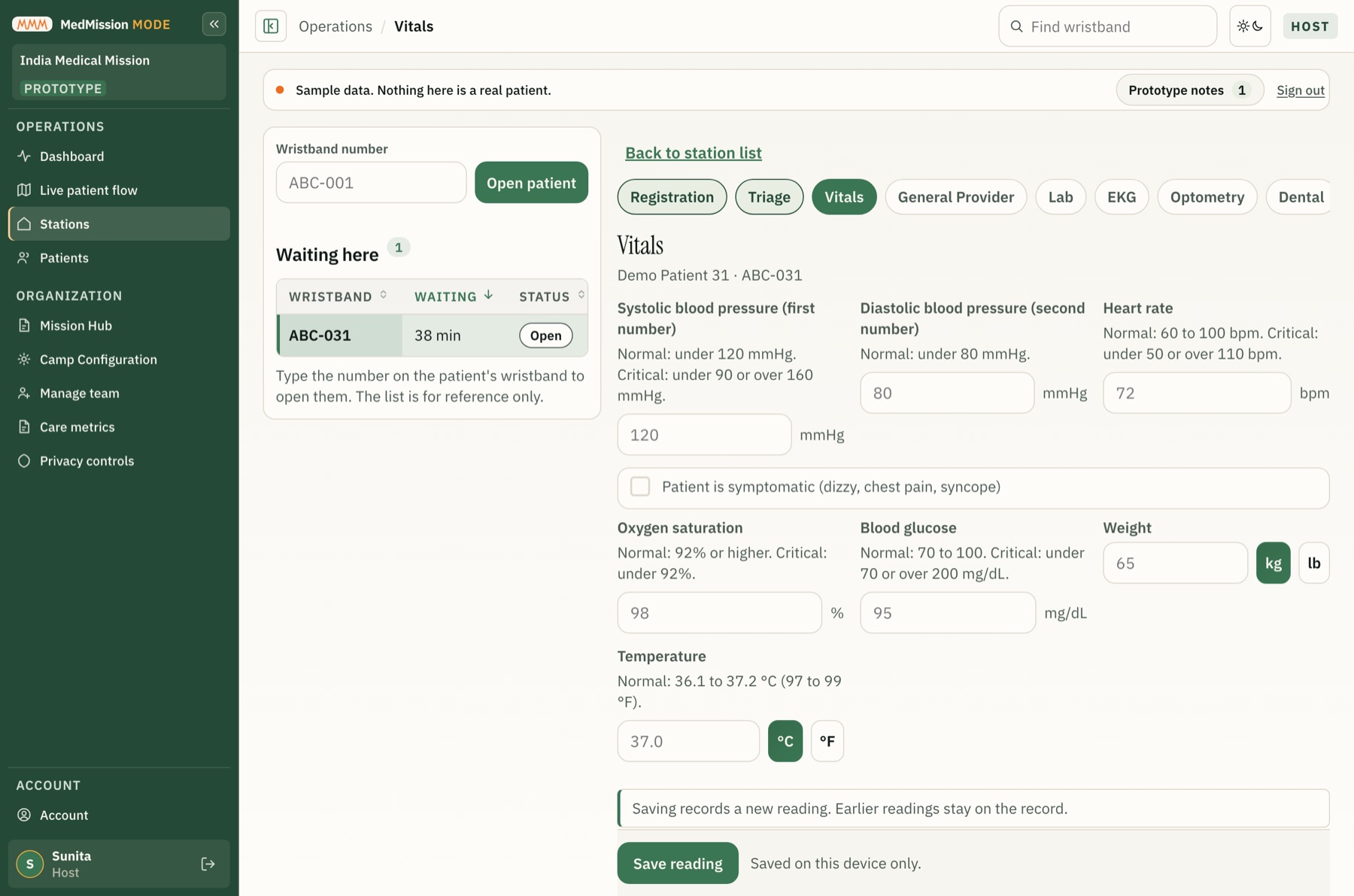
Each vital shows its normal range and your organization's critical limit beside the box. A reading past the limit is marked critical on the record and on the Dashboard.
- Temperature in °C or °F, weight in kg or lb
- A typing slip, such as oxygen saturation of 150%, is refused
- A recheck is a new reading. Earlier readings stay on the record
Your clinic, your rules
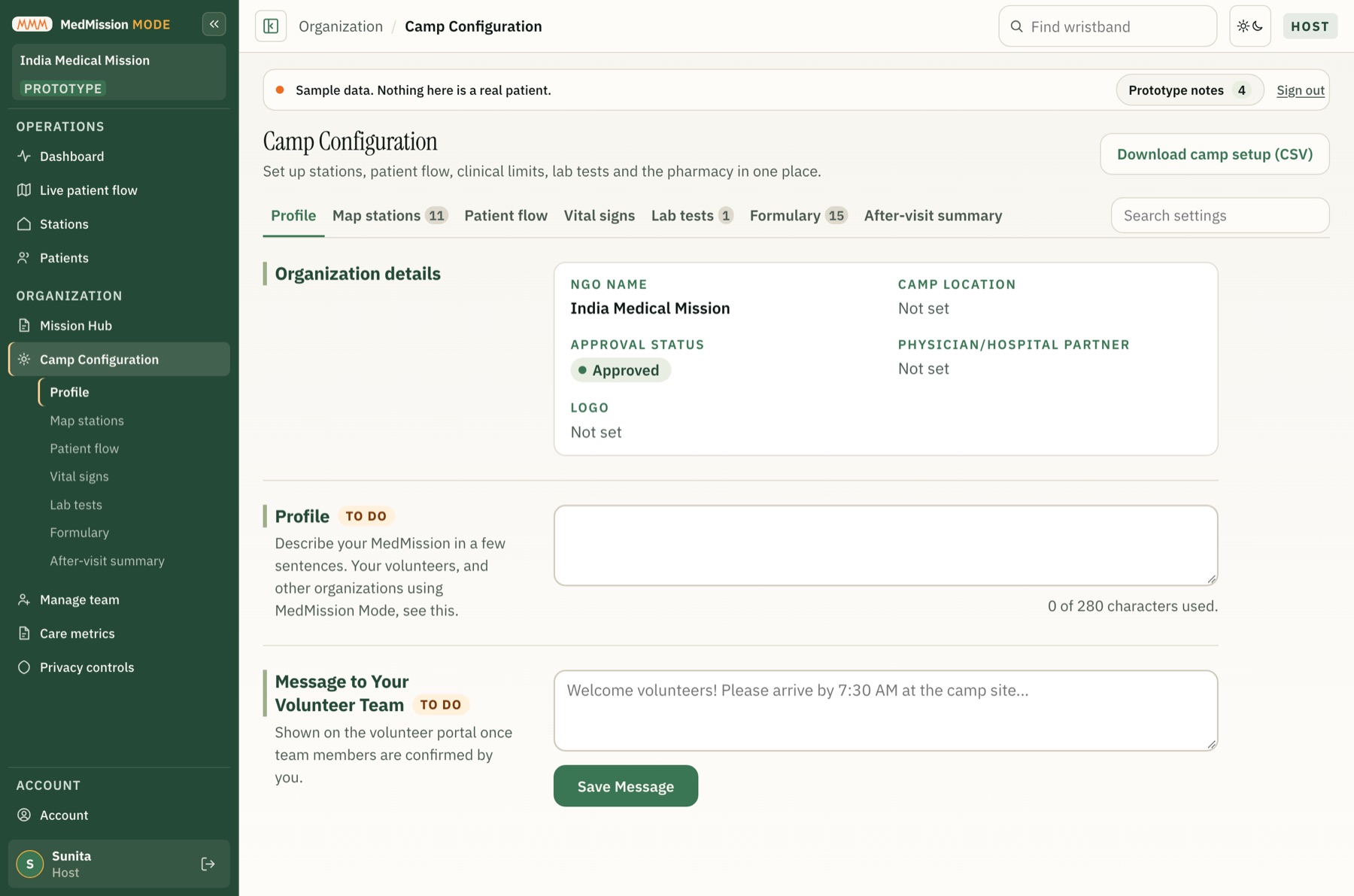
Camp Configuration is where the Host shapes the app to the MedMission, before the first Patient arrives.
- Stations and their order, including stations you name yourself
- Critical limits for each vital and lab test
- Your own pharmacy list, and which stations may prescribe from it
- Whether Patients get a printed or digital after-visit summary
Every Patient, one list
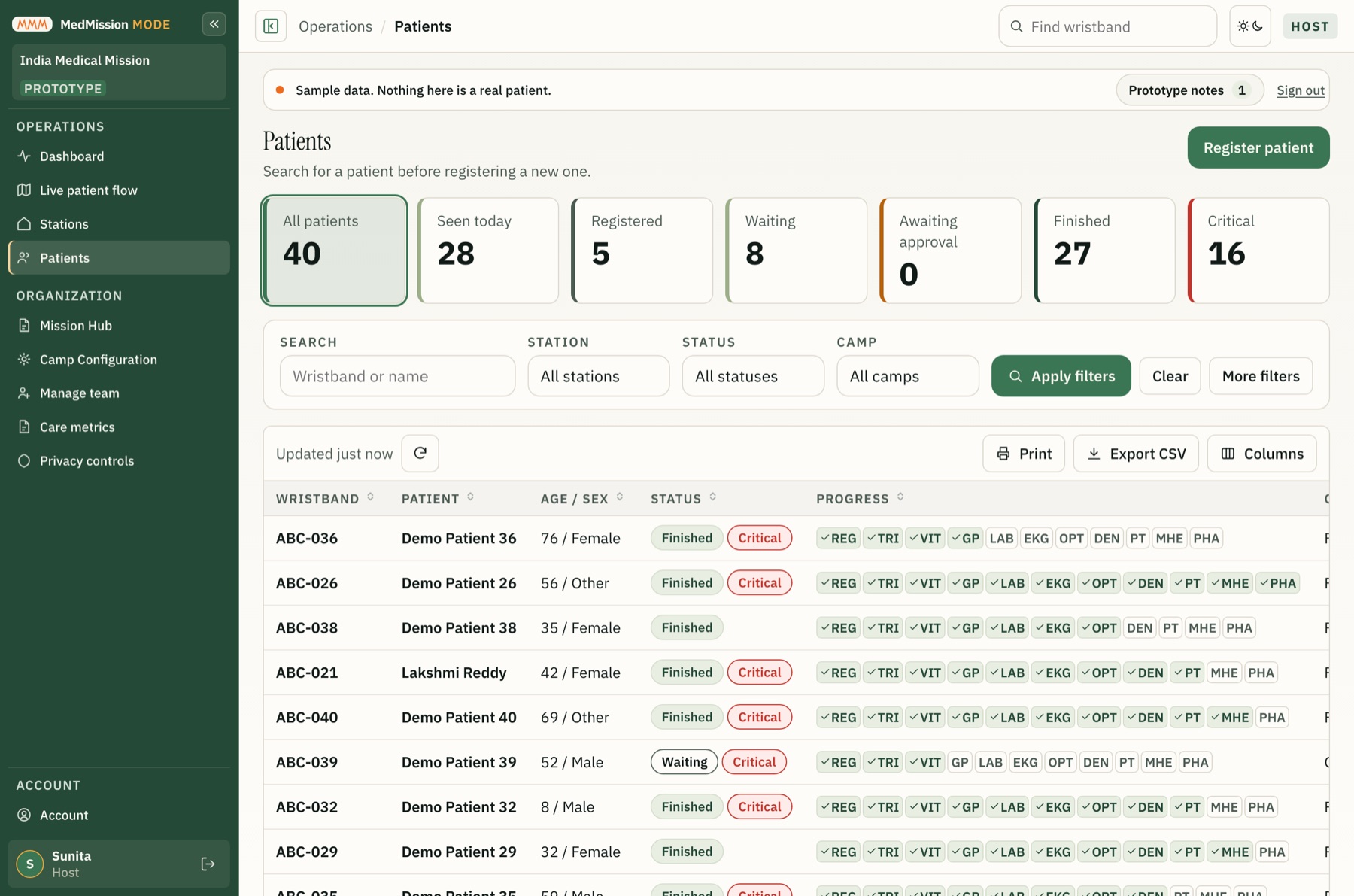
Search by wristband number or name before registering, so nobody is entered twice. Each row shows how far the Patient has come.
- Filter by station, status or MedMission
- The app warns when a wristband number is already in use
- Print the list or export it as a spreadsheet
Made for the device in your hand
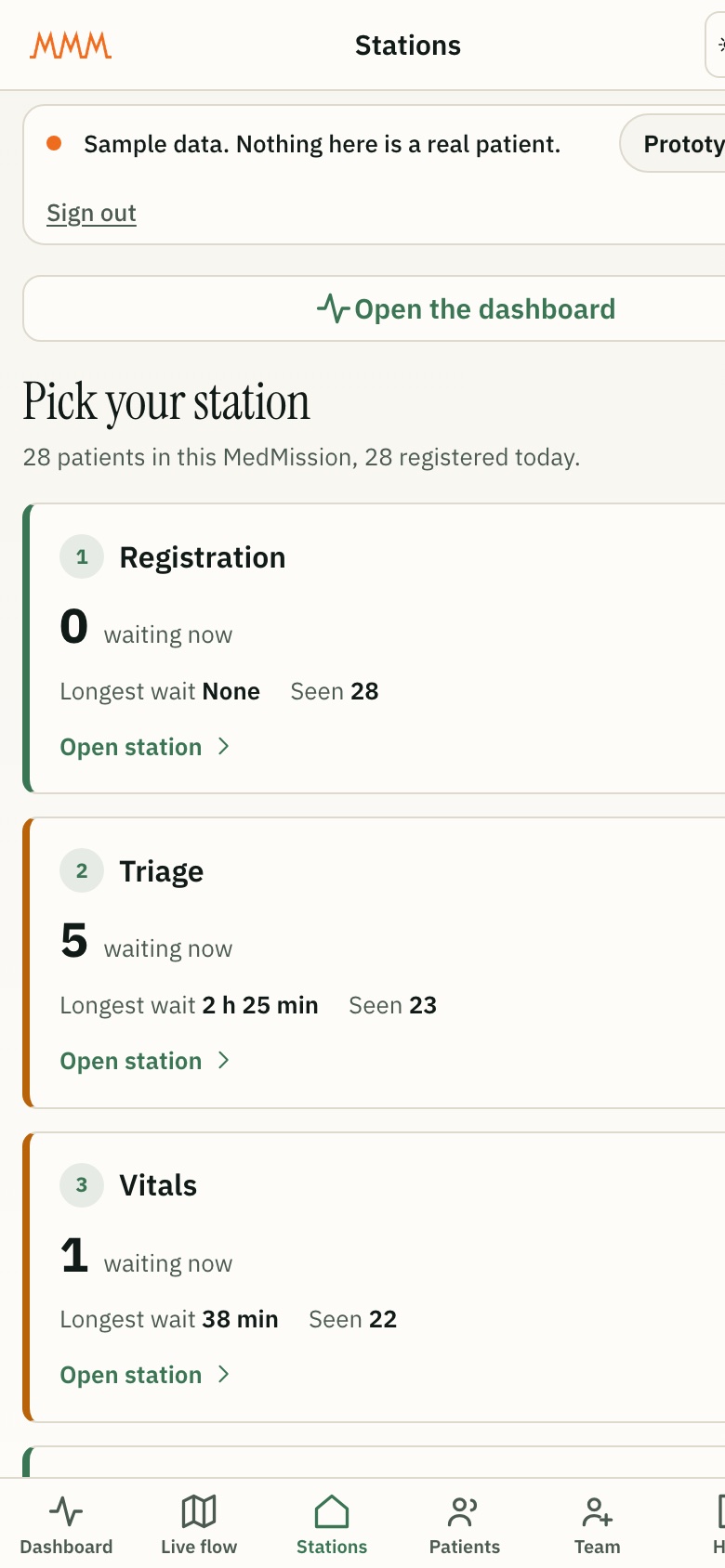
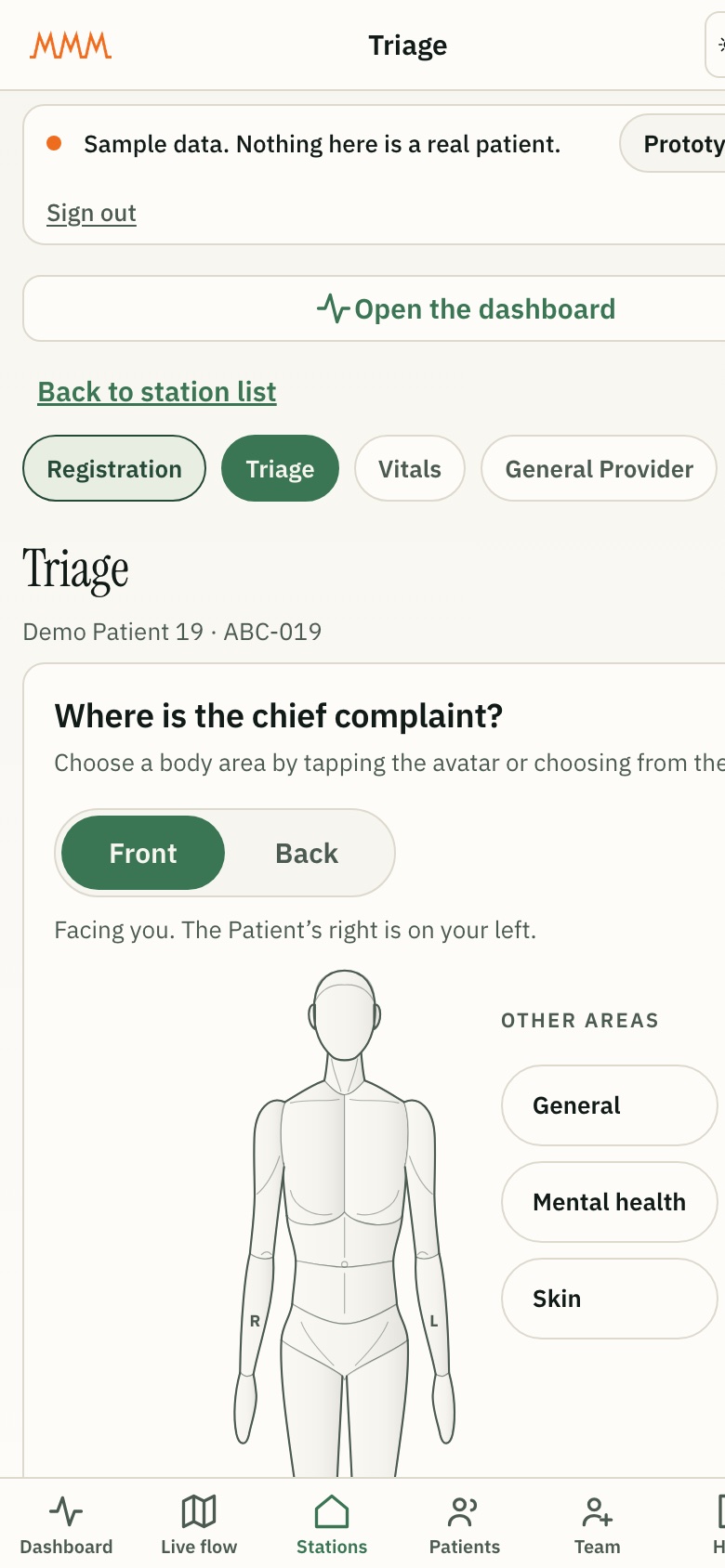
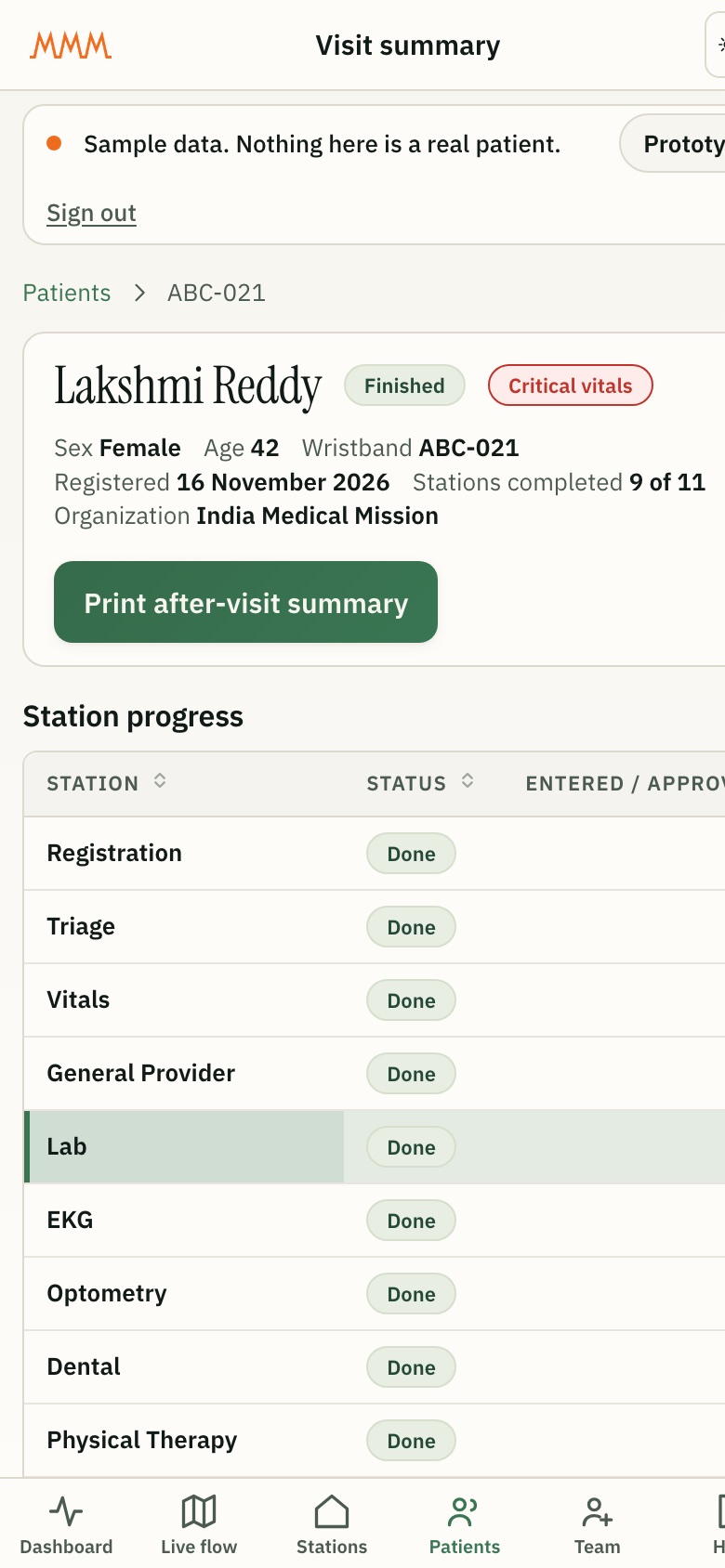
Volunteers work a station from a phone or a tablet. The same account opens the same MedMission on either.
Who it is for
Host
Runs the MedMission. Sets up the organization, confirms each volunteer, and watches the Dashboard, Live patient flow and care metrics.
Support
Licensed Clinical Professionals, Supervised Clinical Support and Non-Clinical Support. Each records at their own station and sees only what their role allows.
Patient
Known by a wristband number at every station. Can sign up afterward to read the summary of their own visit, and nothing else.
Careful with patient information
Roles decide what is shown
Non-Clinical Support registers and routes Patients and sees no clinical findings. A Patient reads only their own visit.
Each organization is separate
One organization never sees another's Patients, team or settings.
Consent is recorded
Consent is taken at Registration and every consent action is kept in a log the Host can read.
The app locks itself
After the idle time the Host sets, the app locks until the volunteer signs in again.
The notice a Patient reads in the app is on the Terms and privacy page, in the same words.
Questions
Can we use it now?
Not yet. The app is in review with our clinical team and is not in the App Store or Google Play. Email us and we will tell you when your organization can start.
What devices does it run on?
It is being built for iPhone, iPad and Android phones and tablets.
Do we have to run all eleven stations?
No. The Host picks the stations, their order, and which ones are only for Patients who need them. You can add stations of your own.
Who can see a Patient's record?
Only confirmed members of the organization that ran the MedMission, and only what their role allows. The Patient can read their own visit summary.
Who is behind it?
MedMission Mode is built with India Medical Mission and published by Give To India Inc., a nonprofit organization.
Planning a MedMission?
Tell us where and when, and how many Patients you expect in a day.